A pragmatic Conditional Access baseline for small teams
Conditional Access is the highest-leverage security control most small teams already own and rarely deploy properly. Here is the shortest path to a meaningful baseline, ordered by what we would enable first, with the trade-offs called out honestly.
Microsoft published its Security Defaults years ago and they cover the obvious cases (require MFA, block legacy auth, protect privileged accounts). For most teams under 25 people, those defaults are a real improvement over nothing. But the moment you need an exception, a per-app rule, or a location carve-out, you graduate to Conditional Access, and you should not procrastinate that move.
This post is the baseline we ship to small businesses on day one of an M365 engagement. It assumes Entra ID P1 (included in Microsoft 365 Business Premium). If you are on a lower tier, the prerequisite investment is usually worth it.
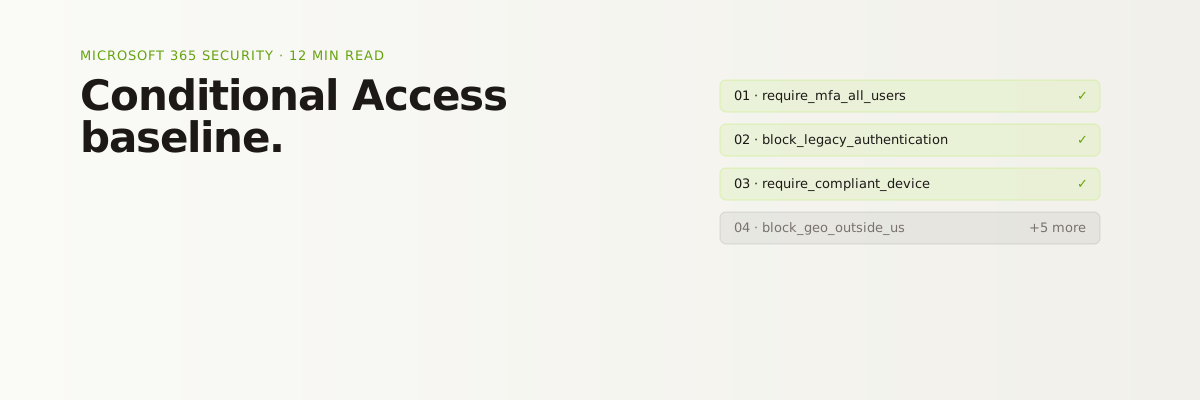
The eight policies, in order
01. Require MFA for all users
Start with the boring one. Block any sign-in that has not satisfied MFA, with a carve-out for emergency break-glass accounts (which you have created, named obviously, and stored credentials for in a sealed envelope, not in 1Password).
Exempt nothing else. Service principals, contractors, "just the CEO" requests, all are addressed by later policies, not by exemptions here.
02. Block legacy authentication
Legacy protocols (POP, IMAP, basic SMTP auth) are the most common entry vector for password-spray attacks. Block them outright. If a vendor needs IMAP, that vendor needs to update its integration.
If something breaks when you turn this off, it is the thing you most needed to find.
03. Require compliant or hybrid-joined device for desktop access
Once Intune is enrolling your endpoints, gate access to M365 desktop apps on device compliance. Personal devices can still hit Outlook on the web in a restricted mode (see policy 06).
This is the policy that distinguishes "MFA-only" tenants from real defense in depth. An attacker who phishes credentials and an MFA prompt still cannot pull mail from an unmanaged laptop.
04. Block sign-ins from outside your operating geography
For a US-only business, deny sign-ins from countries you do not operate in. This is not perfect (VPNs exist) but it raises the cost of opportunistic credential stuffing meaningfully. Pair it with a clear travel policy for the small number of people who actually need exceptions.
05. Require phishing-resistant MFA for admins
Global admins, security admins, anyone with Exchange or SharePoint admin roles: require a phishing-resistant method (FIDO2 security key or Windows Hello for Business, not SMS or push). Privileged identity management (PIM) is the next layer, but start here.
06. Restrict downloads to compliant devices
On unmanaged or BYOD endpoints, allow web access to Outlook and OneDrive but block downloads, print, and copy/paste of sensitive content. This is the pressure-release valve that lets you enforce policy 03 without firing your contractors.
07. Block high-risk sign-ins
With Entra ID P2 (or M365 E5) you get Identity Protection signals. Even without P2, sign-in risk is exposed in Conditional Access at a coarser grain. Block high-risk sign-ins outright. Require MFA challenge plus password change on medium-risk sign-ins.
08. Session lifetime for admin and externally-shared content
Drop session lifetimes for admin roles to 4 hours. For any content shared externally (guests, anonymous links), require reauthentication on every session. The cost is mild user friction. The benefit is that a stolen session token has a much shorter blast radius.
What we deliberately leave out of v1
Two things tempt every consultant to over-engineer the first pass. Resist both.
- Per-application policies. Tempting and rarely necessary on day one. Add them only when you have a real use case, not because the UI lets you.
- Risk-based step-up for end users. Powerful, but it generates support tickets that a 25-person team without a help desk cannot absorb. Add this after policies 01 to 06 are bedded in.
How to roll this out without breaking the business
Three rules, learned the hard way:
- Report-only mode first. Every policy ships in report-only for at least a week. You will find the integration that broke nine months ago and that nobody noticed.
- Exclude your break-glass accounts from every policy. Every single one. Then monitor those accounts with alerts so an actual sign-in pages someone.
- Communicate before enforcement. Tell users what is changing, why, and when. Two paragraphs in Slack saves you a week of "Outlook is broken" tickets.
The honest trade-offs
This baseline assumes a single tenant, employees mostly on managed Windows or macOS endpoints, and a willingness to enroll personal devices into Intune for app protection. If your environment is messier than that (heavy contractor use, BYOD-mandatory culture, mixed-tenant guest access), the same eight policies still apply but the exception design gets more work.
If you are reading this and thinking "we have not even turned on MFA yet," start there and come back when you have. If you have all eight, the next conversation is PIM, app proxy, and a real privileged-identity strategy.
Either way, this is the floor. We do not start any M365 engagement below it.